- Página de inicio /
- Libros /
- Education Books /
- School & Teaching books /
- Computadoras y tecnología /
- Adobe Photoshop Creative Cloud 2021: Adobe Ph...
0 ratings



Nº de artículo:
41225670
Adobe Photoshop Creative Cloud 2021: Adobe Photoshop
97% of respondents would recommend this to a friend
Nº de artículo:
41225670
PAB 60
Price Details
Excluding Shipping & Custom charges ( Shipping and custom charges will be calculated on checkout )
*All items will import from Estados Unidos
En stock
 Importado de la tienda USA
QTY:
Haz tu pedido ahora y recíbelo por ahí Sunday, Octubre 18
Secured transaction
Ubuy works hard to protect your security and privacy. Our advanced payment security system ensures confidentiality by encrypting your information during transmission using AES (Advanced Encryption Standards) and SSL (Secure Socket Layer) protocols. Your payment details are 100% secure as we do not share your payment details with third party sellers.
Our Top Logistics Partners


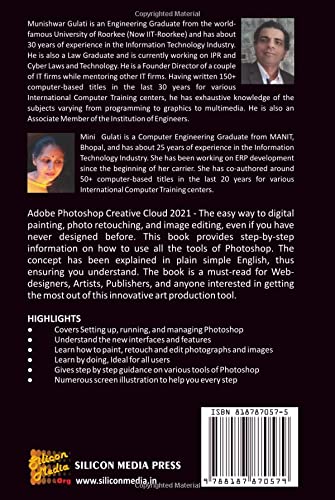
This book provides step-by-step information on how to use all the tools of Photoshop.

Fast
Shipping

Free
Return*

Secure Packaging

100% Original Products

PCI DSS Compliance

ISO 27001 Certified



What Stands Out
Cloud Integration
Seamlessly access and share your work across devices with Adobe Creative Cloud, ensuring your projects are always up-to-date.
Advanced Tools
Utilize industry-leading editing tools with AI enhancements for precise manipulations and stunning effects that save time and elevate creativity.
Collaboration Features
Easily collaborate with team members through shared libraries and assets, streamlining workflows and improving project efficiency.
Detalles de producto
- Adobe Photoshop Creative Cloud 2021 is the easiest way to color painting, photo retouching, and image editing, even if you have never designed before. This book provides step-by-step information on how to use all the tools of Photoshop. The concept has been explained in plain simple English, thus ensuring you understand. The book is a must-read for Web-designers, Artists, Publishers, and anyone interested in getting the most out of this innovative art production tool.How the book is organized:Chapter 1 introduces you to Adobe Photoshop Creative Cloud 2021 and discusses various menus and using Photoshop help.Chapter 2 tells you the various concepts required to work with images. It tells you about resolution, resampling, cropping, and scanning of images besides other concepts.Chapter 3 explains the concept of colors gamuts, channels, and palettes provided in Photoshop.As you move on to Chapter 4, you are introduced to various tools required for selecting the image.Chapter 5 covers all about freehand drawing and paths and shapes and using them for various purposes.Chapter 6 tells you about various tools required for Painting and Erasing in Photoshop.Chapter 7 tells you about the tools required for editing and retouching the image.Chapter 8 tells you to write text in Photoshop images.Chapter 9 tells you all about working with Layers, editing Layers, and adding effects to the layers. It also discusses the new feature of Sky Replacement in Adobe Photoshop 2021.Chapter 10 tells you about working with Channels and Masks.Chapter 11 discusses various filters that can be applied to the images. Chapter 12 tells you about the various special effects and new features like the Neural effect in Adobe Photoshop 2021.Chapter 13 tells you all about optimizing and automating the task in Photoshop.This book is a sincere effort to explain the concepts of Adobe Photoshop Creative Cloud 2021. We sincerely hope that you find this work to be informative and enjoyable.
| Publisher | Siliconmedia Org |
| Publication date | October 4, 2021 |
| Language | English |
| Print length | 436 pages |
| ISBN-10 | 8187870575 |
| ISBN-13 | 978-8187870579 |
| Item Weight | 1.62 pounds (730 grams) |
| Dimensions | 6 x 1.18 x 9 inches (15.2 x 3 x 22.9 cm) |
Who Should Buy?

-
Graphic Designers
Ideal for graphic designers needing advanced tools for creating logos, illustrations, and marketing materials with high precision.
-
Photographers
Perfect for photographers looking for powerful editing tools to adjust, retouch, and enhance their images professionally.
-
Digital Artists
Great for digital artists who require versatile brushes and effects to create intricate artwork, illustrations, and animations.

-
Casual Users
Not suitable for casual users who need simple editing tools for quick adjustments without complex features and functions.
DESCRIPCIÓN DEL PRODUCTO
¿Tienes alguna consulta? Chatea con nosotros
Preguntas y respuestas de los clientes
-
Pregunta:
What new features are included in Adobe Photoshop Creative Cloud 2021?
Respuesta: Adobe Photoshop Creative Cloud 2021 introduces several cutting-edge features like Sky Replacement, Neural Filters for portrait touch-ups, and improved selection tools. These enhancements are designed to streamline workflows, allowing users to achieve professional results more efficiently. For instance, the Sky Replacement tool can instantly transform landscapes, making it easier for photographers and graphic designers to create stunning visuals without extensive manual editing. -
Pregunta:
Is Adobe Photoshop Creative Cloud 2021 suitable for beginners?
Respuesta: Yes, Adobe Photoshop Creative Cloud 2021 is designed with a user-friendly interface that caters to beginners while offering advanced features for seasoned professionals. The software includes guided tutorials and resources, making it accessible for those just starting in graphic design or photography. New users can easily learn key tools, such as basic editing and filtering, which enables them to create impressive projects from the outset. -
Pregunta:
Can I use Adobe Photoshop Creative Cloud 2021 on multiple devices?
Respuesta: Absolutely! Adobe Photoshop Creative Cloud 2021 supports usage across multiple devices. Once subscribed, you can install the software on your desktop and laptop and access your projects from anywhere. This flexibility is ideal for photographers and designers who work on the go, ensuring that you can carry your creativeness regardless of the device you are using. -
Pregunta:
What system requirements do I need for Adobe Photoshop Creative Cloud 2021?
Respuesta: Adobe Photoshop Creative Cloud 2021 requires a compatible system to ensure optimal performance, including Windows 10 (64-bit) or macOS Catalina (10.15) and later versions. The software also benefits from at least 8 GB of RAM and 4 GB of available hard disk space. Meeting these requirements allows users to experience seamless editing capabilities, making it vital for professionals handling large files or complex projects. -
Pregunta:
Does Adobe Photoshop Creative Cloud 2021 support plugins?
Respuesta: Yes, Adobe Photoshop Creative Cloud 2021 supports a wide range of plugins to enhance functionality. Users can customize their experience by adding third-party plugins that provide additional toolsets, filters, and effects. This flexibility is particularly useful for professionals seeking to streamline their workflow and incorporate specific functionalities tailored to their creative projects. -
Pregunta:
What types of projects can I create with Adobe Photoshop Creative Cloud 2021?
Respuesta: Adobe Photoshop Creative Cloud 2021 is versatile, allowing users to create a variety of projects, including digital artwork, photo editing, graphic designs, and social media content. Its powerful tools make it ideal for photographers editing images, graphic designers crafting logos, and marketers developing engaging visuals. This flexibility means you can use the software for almost any creative endeavor. -
Pregunta:
Is Adobe Photoshop Creative Cloud 2021 integrated with other Adobe applications?
Respuesta: Yes, Adobe Photoshop Creative Cloud 2021 integrates seamlessly with other Adobe applications like Illustrator, Lightroom, and Premiere Pro. This interoperability allows users to transfer projects and assets fluidly across programs, enhancing creativity and improving workflow. For example, designers can create intricate graphics in Illustrator and then enhance those creations in Photoshop without loss of quality. -
Pregunta:
How does Adobe Photoshop Creative Cloud 2021 handle file formats?
Respuesta: Adobe Photoshop Creative Cloud 2021 supports a multitude of file formats, including PSD, JPEG, PNG, and TIFF, among others. This variety means users can open, edit, and save projects in formats that best suit their needs. Whether you're working with high-resolution images for print or optimizing files for web use, Photoshop ensures flexibility and quality throughout the editing process. -
Pregunta:
Can I collaborate with others using Adobe Photoshop Creative Cloud 2021?
Respuesta: Certainly! Adobe Photoshop Creative Cloud 2021 includes collaborative features that allow users to share projects and assets easily. With Creative Cloud Libraries, teams can access shared resources and maintain consistency in branding and design. This functionality is incredibly beneficial for teams working remotely or designers who need feedback from clients during the creative process. -
Pregunta:
Where can I buy Adobe Photoshop Creative Cloud 2021 in Panama?
Respuesta: You can purchase Adobe Photoshop Creative Cloud 2021 from Ubuy in Panama. Ubuy offers a convenient way to access the software, ensuring you receive the latest version and features directly from a reliable source. With various options for individual, business, or educational use, you’ll find the right plan that suits your creative needs.
Computers & Technology Editorial Review
No se encontraron reseñas editoriales
Customer Reviews & Ratings
1 valoraciones de los clientes
-
5 estrella
100%
-
4 estrella
0%
-
3 estrella
0%
-
2 estrella
0%
-
1 estrella
0%
Revisar este producto
Comparte tus ideas con otros clientes
Platform Trust & Buyer Confidence

JK
Jasmin
Verified buyer
“Great products and very good service: very easy and very fast international delivery.”
9 September 2026 · via Trustpilot
AG
Anke
Verified buyer
“Wonderful online shopping experience, smooth transaction from the start. Payment method works conveniently and delivery is unexpectedly fast and reliable. You go the extra mile for service. What makes this even more amazing, you deliver to Namibia. I will remain a happy Ubuy customer and will increase my purchases for sure! Thank you!”
10 September 2026 · via Trustpilot
H
Hazel
Verified buyer
“Very easy to find the products what you need, and so fast delivery, that’s why I highly recommended to others costumers to used ubuy.”
10 September 2026 · via Trustpilot
O
Opaleye
Verified buyer
“I received exactly what I ordered I was skeptical about your site because that was my first time to order. But the order came timely and neatly packaged. I was not disappointed. Thank you.”
11 September 2026 · via Trustpilot
AC
Adele
Verified buyer
“Easy to find and order what you want on the website. Delivery is quick to the UK”
8 September 2026 · via Trustpilot
Pago seguro
Global Delivery
Easy Returns
Genuine Products
Product Price History
Información importante
- Limitaciones: Para los productos enviados al extranjero, ten en cuenta que cualquier garantía del fabricante puede no ser válida; las opciones de servicio del fabricante pueden no estar disponibles; los manuales del producto, las instrucciones y las advertencias de seguridad pueden no estar en los idiomas del país de destino; los productos (y los materiales que los acompañan) pueden no estar diseñados de acuerdo con las normas, especificaciones y requisitos de etiquetado del país de destino; y los productos pueden no ajustarse al voltaje del país de destino y a otras normas eléctricas (lo que requiere el uso de un adaptador o convertidor, si procede). El destinatario es responsable de asegurarse de que el producto puede ser importado legalmente al país de destino. Cuando hagas un pedido a Ubuy o a sus filiales, el destinatario es el importador registrado y debe cumplir todas las leyes y normativas del país de destino.
- No todos los productos que aparecen en Ubuy están a la venta, ya que Ubuy es un motor de búsqueda a nivel mundial. Los productos están sujetos a las normas de exportación/comercio.
PAB 60
Haz tu pedido ahora y recíbelo por ahí Sunday, Octubre 18
This item is not restrict in my country.(Please click on above link if this item is not restrict in your country, So our team will review and allow.)
QTY:
Secured transaction
PCI DSS compliant and ISO 27001:2022 certified, with encrypted payments and full buyer protection on every order.
Our Top Logistics Partners
Fastest cross-border delivery
características y beneficios
- Easy to follow, even for beginners.
- Comprehensive guide covering all Photoshop tools.
- Organized chapters for clear understanding.
- Includes techniques for photo editing and retouching.
- Explains new features like Sky Replacement and Neural effects.
- A must-read for web designers, artists, and publishers.
Ubuy Assurance
Experience worry-free shopping with 100% original products, PCI DSS-compliant payment security, ISO 27001-certified data protection, the fastest cross-border delivery, free returns *, and secure packaging on every order.